The publisher's server did not answer. This is usually temporary, or your network blocks it.






Report Leisure Golf
What is wrong with this game?
Are you the copyright owner? Send a takedown notice and we respond within 24 hours.
How to Play Leisure Golf
- 1. Line Up Your ShotClick and drag backward from the ball to set your direction and adjust your power carefully.
- 2. Take the ShotRelease the mouse button when you are ready to let the ball fly across the course.
- 3. Move the CameraDrag outside the ball area to rotate your view and check the layout of the obstacles.
To play this sports experience, use your mouse to interact directly with the ball on the screen. Click on the ball and drag away from it to establish your aiming angle and determine how much power you want to put behind the hit. When you have the desired power and line, simply release the button to send the ball rolling. If you need a better view of the terrain or upcoming obstacles, click and drag outside the ball to rotate the camera around the course.
The publisher marks this browser title as mobile ready, meaning you can enjoy it on touch devices as well as desktop computers. Because it runs on HTML5, you do not need to install any plugins or files to start playing right away in your preferred web browser.
About Leisure Golf
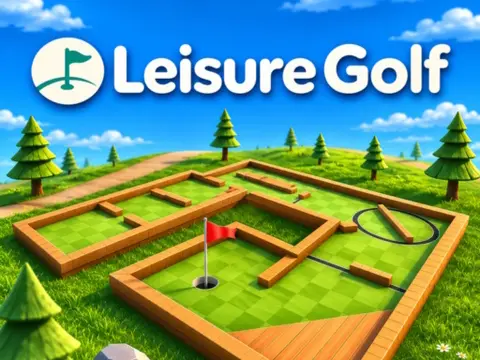
Leisure Golf is a relaxing 3D sports title available on GameMonetize that invites players to test their putting skills across various unique courses. The core objective is straightforward: navigate through challenging obstacles and sink the ball into the hole in as few strokes as possible.
The official description highlights several key elements, including three-dimensional graphics, unique course designs, and demanding obstacles that test your precision. It is designed to be easy to play while offering enough depth to keep you focused on improving your stroke count. The HTML5 build ensures smooth performance and accessibility directly in your web browser without unnecessary downloads.
This title suits teens and adults who enjoy casual sports challenges and puzzle-like course navigation. The publisher listing does not mention specific level counts, game modes, unlockable items, or audio options, so you will discover the exact content as you play through the courses. If you appreciate straightforward browser games that focus on simple mechanics like aiming and power control, this fits right into that style.
Leisure Golf is listed on GameMonetize under 3D and Sports, with the tags 3D Games, Golf, HTML5. The publisher marks it as mobile ready, so it can also be played in a phone or tablet browser. Leisure Golf is free to play, needs no account and does not ask you to download anything.
Tips and Tricks
Inspect the Course Layout
Before you take your first stroke, rotate the camera around the area to spot any hidden obstacles or tricky turns. Understanding the layout ahead of time helps you plan your power levels much more effectively.
Manage Your Power Carefully
Hitting the ball with maximum strength is rarely the best strategy on tight courses. Practice using lighter drags to keep your shots controlled and prevent the ball from bouncing too far off target.
Adjust for Obstacles
Obstacles are placed to block direct paths, so look for alternative angles that might bank the ball around barriers. Taking a moment to find a safer route usually results in fewer total strokes.
Watch the Camera Angles
Since you can drag outside the ball to rotate the view, use this feature freely to line up tricky shots from behind. A clear line of sight makes it much easier to judge your direction accurately.
Leisure Golf FAQ
Is Leisure Golf free to play?
Yes, this game is completely free to play directly in your web browser through the GameMonetize platform without requiring any purchases.
How do I control the game?
You click and drag from the ball to aim and set your power, then release to shoot. You can also drag outside the ball to rotate the camera.
Can I play on my mobile device?
Yes, the publisher lists the game as mobile ready, so you can play it on compatible smartphones and tablets.
What is the main goal?
The objective is to sink the ball into the hole on each course using as few strokes as possible while navigating obstacles.
Do I need to download anything?
No downloads are required. The game runs on HTML5 technology and loads directly inside your internet browser window.
Similar Games
If you enjoy Leisure Golf, there are more games to try right now. Basketball Stars (give the ball the perfect direction, score point after point and beat your own high score); Penalty Shooters (play football with cartoon stars: score goals, make passes and defend your side); Bottle Flip 3D (flip a plastic bottle through different rooms: tap at the right moment to jump and land); Mini Boxing 2 (step into pixel arenas, face eleven unique rivals, and time your star punches to claim victory).